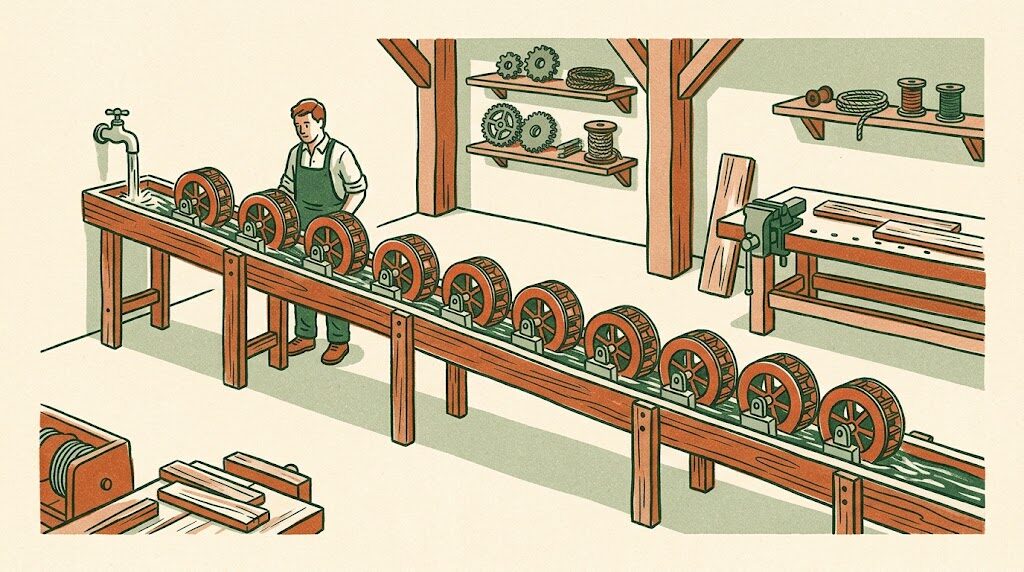
The problem, as you feel it
Your business runs on eight or nine apps. Email, a calendar, an accounting package, a CRM or a spreadsheet standing in for one, an e-commerce or booking platform, a payment processor, a messaging tool, a shared drive. Each one is fine. The problem is the space between them, and the space between them is you.
Copying a new order into the accounting system. Typing the same customer into three places. Chasing an invoice that is two weeks late. Sending the welcome email. Building the Monday report by pasting numbers from four tabs. Checking whether the supplier confirmed. None of it is hard. All of it is constant, and it is the first thing that slips when the week gets busy.
What n8n is, in plain terms
n8n is a workflow tool. You describe a sequence (“when a new order arrives, create the invoice, notify the warehouse channel, and if the customer is new, add them to the onboarding sequence”) and it runs that sequence every time, forever, without anyone remembering. It connects to several hundred business apps out of the box and can talk to anything with an API.
You may have heard of Zapier or Make. n8n does the same job with three differences that matter once you are past the first couple of automations. It can run on a small server you control, so your customer data is not passing through a third party and the monthly bill does not climb with every task. It handles branching, loops, and error handling properly, so a workflow can do real work rather than a single “if this, then that.” And it has AI steps built in, so a workflow can read an email and decide what it is about, draft a reply, extract the fields from a PDF, or summarise a thread, at the point in the process where a person used to have to look.
The twelve workflows I set up most often
- Quote to invoice to payment. Accepted quote creates the invoice, sends it, watches for payment, and nudges at 7, 14, and 21 days in escalating tone.
- New customer onboarding. One trigger (a signed agreement, a first payment) fans out into the CRM record, the welcome sequence, the shared folder, the calendar invite, and the internal announcement.
- Order to fulfilment. Order lands, inventory checks, the pick list goes to the right person, the customer gets a tracking message when it ships, and low-stock items generate a reorder draft.
- Inbox triage. Every inbound email gets classified (order, complaint, question, vendor, junk), routed to the right person or queue, and, for the routine ones, answered with a draft the owner approves in one click.
- Missed call to text back. A missed call on the business line sends a text within thirty seconds and opens a follow-up task.
- Review requests. Two days after a completed job, the customer gets a request for a review, with the link to the right platform, and positive replies get thanked automatically.
- The Monday report. Sales, cash, open invoices, jobs scheduled, and the three numbers you actually care about, pulled from the real systems and delivered before you sit down.
- Lead capture and follow-up. Every form, ad platform, and marketplace lead lands in one place, gets enriched (company, size, website), scored, and receives a first response in a minute.
- Document intake. A PDF arrives (invoice, application, delivery note), the fields are extracted, checked against what was expected, and filed, with mismatches flagged.
- Appointment reminders and rebooking. Confirmations, reminders, and a rebooking message when a slot opens or a customer is due.
- Employee and contractor onboarding. Accounts created, documents sent for signature, training links, and the first-week checklist, from one form.
- Backups and audit trails. Nightly exports of the systems that matter into a place you own, and a log of every automated action so you can always see what happened.
Any one of these is a few hours of setup. Together they are the operational layer most small businesses wish they had a person for.
Take a business like this one
The business in this section is a composite of the kind of company I talk to, not a named client. The numbers are the shape of the problem, not a case study.
Picture a wholesale distributor with fourteen people. They sell specialty ingredients to about two hundred restaurants and bakeries. Orders come in by email, by a web portal, and by text to two sales reps. Accounting is in QuickBooks, inventory in a spreadsheet that one person understands, and the customer list lives in the sales reps’ phones.
When I map their week, four people spend a combined twenty-odd hours on re-keying: orders into QuickBooks, QuickBooks into the inventory sheet, delivery confirmations into email replies. Invoices go out late because they are batched on Fridays. About 15 percent of invoices are more than thirty days overdue at any time, mostly because nobody is chasing them.
What I set up for a business shaped like this, on n8n running on a small server:
- One order pipeline. Portal orders arrive as data. Emailed and texted orders go through an AI step that extracts the customer, items, quantities, and delivery date, then shows the rep a one-screen confirmation before anything is created. Every order becomes a QuickBooks invoice and an inventory adjustment the moment it is confirmed.
- Same-day invoicing and automatic follow-up. Invoices send on delivery confirmation. Overdue reminders go out on a schedule the owner set, in language he wrote, and stop the moment payment lands.
- Low-stock reorder drafts. When an item crosses its threshold, a purchase order draft appears for approval, with the supplier’s last price.
- A Monday morning report with sales by customer, aging receivables, and the ten accounts whose ordering has dropped, because a restaurant that stops ordering is usually about to switch suppliers.
- A log of everything, so when a customer says “I never got that invoice,” the answer is a timestamp.
In a setup like this you should expect the twenty hours of re-keying to become two or three hours of approvals, invoices to go out days earlier, overdue receivables to drop by a third or more within a quarter simply because they are being chased consistently, and the owner to learn about a drifting account weeks before the rep would have noticed.
What it costs to run
n8n itself is free to self-host and a small server to run it is a few dollars a month. The AI steps cost fractions of a cent per run. Compared to a per-task automation subscription, a business running a dozen workflows at real volume usually saves money by switching, before counting the hours.
What I need from you
A half day to walk through how work actually flows today, including the workarounds nobody wrote down. Logins for the systems involved, set up on a screen share so nothing is stored anywhere you cannot see. Your rules in plain language (when to chase an invoice, what counts as low stock). Then a person on your side who will be the one to approve things for the first month, so the automation earns trust before it runs unattended.